Fail, fail, fail
Teaching keyboarding to kindergarten is an adventure to say the least. As my first year teaching kindergarten STEM I had researched and found tips for getting littles (K-2) on Chromebooks. With hybrid learning we were going to start with teaching keyboarding. It was time for my first class and I thought I was ready. That class was chaos. The kids couldn’t find the numbers and letters on the keyboard to log in so I ended up going 1 by 1 to log everyone on. I learned an important lesson: if they don’t know their letters they can’t type.
I learned an important lesson: if they don’t know their letters they can’t type.
Teach Letters First
From this lesson I learned that I needed to teach letters first. Teaching keyboarding to kindergarten (or any grade) is rooted in literacy. Students must be able to recognize their letters before they can find those letters on the keyboard to be able to start typing. I found a typing program that introduced each letter and showed on the screen where the letter was. Many students still struggled.
So I backed up even further to the foundation of reading – phonics. I started using songs to review letters at the beginning of class. We did letter identification activities on Seesaw. These activities paired with their reading lessons began to lead to slow progress.
Practice Matching Upper and Lowercase Letters
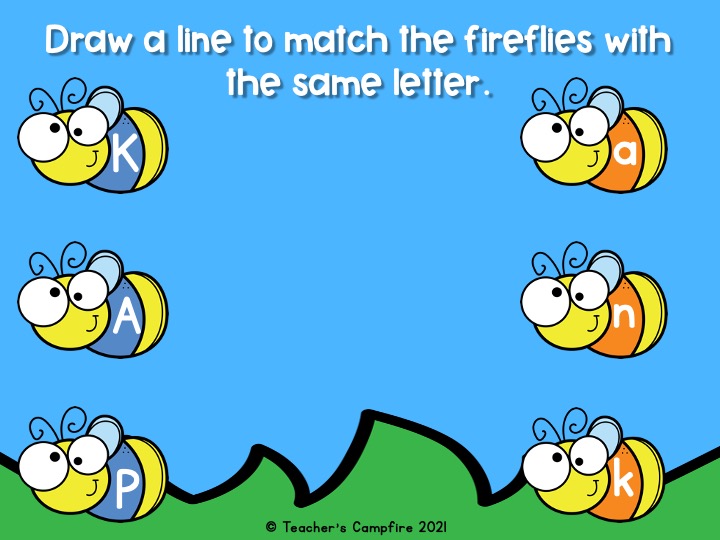
Even with making progress on their letter naming my students were still struggling to find the letters on the keyboard. The missing piece? Many typing programs show uppercase letters but Chromebooks have lowercase letters. My students knew their individual letters but couldn’t match the uppercase to the lowercase letter. So we began practicing.
Practice, Practice, Practice
The main key to success is practice. Practice letter naming, practicing matching upper and lowercase letters, and practice typing. The more they practice the easier it was and the faster they got.